Products Reviews
5KPlayer Review, Tutorial and Best Alternatives of 5KPlayer
With so many media players out there, it’s hard to pick the best ones. Lists like top 10 media players help narrow down the choices. 5KPlayer often ranks well on such lists. Is 5KPlayer safe to use? What features does it have? Is it a free or paid app? You can find answers in this 5KPlayer review.
Is 5KPlayer safe?
Yes. 5KPlayer is safe to install and use.
The installer is clean without any adware or malware. Although 5KPlayer is freeware, the installer comes without bundled offers. You can easily uninstall the app at any time from your computer. It’s important that you download 5KPlayer from official site or other reliable places (if any). For the sake of computer safety and proper operation of 5KPlayer, please make sure that you only download media files from trustworthy sources.
5KPlayer review
#1 Download and installation
Developed by DearMob, 5KPlayer is a video player and music player available for both Mac and Windows.
| OS | Official download link | Size |
|---|---|---|
| 5KPlayer for Windows | Download | 49.7 MB |
| 5KPlayer for Mac | Download | 70.2 MB |
To uninstall 5KPlayer on Windows, make sure that you quit the app first. Perform a standard uninstallation. If you receive the “5KPlayer is running” alert message after you click Uninstall in the Uninstall 5KPlayer dialog box, then please open Task Manger, right-click on 5KPlayer and select End task. Now you should have no problem uninstalling. Likewise, before you uninstall 5KPlayer on Mac, be sure to completely quit the app.
#2 Price: Is 5KPlayer free?
5KPlayer is free, and there isn’t a pro version. However, to get unlimited access to full features, you need to register and create an account, which is free. By doing so, you will enjoy the following benefits.
- Free download videos from 300+ online video sites
- Use Apple AirPlay mirroring
- Get registration code by email immediately
After registration, your email inbox will receive a registration code in the form of X-XXXXXXX-XXXXXXX.
#3 Features and tutorials
Video and audio playback with basic editing and conversion functions
5KPlayer can do what a good media player is supposed to do. It supports all the common video and audio formats such as MP4, OGG, WMV, WEBM, MP3, AAC and FLAC. In addition to SD and HD 1080p videos, it also supports playing 2K 1440p, 4K 2160p and even 8K 4320p videos.
To play a video or audio file, just drag it to the app’s interface. The playback will automatically start once you release the mouse button. Alternatively, you can open a media file by going to File > Open file. A control bar will appear at the bottom when you hover your mouse over playback window. There you can find function buttons like Play, Pause, Forward, Volume Slider, Snapshot and 360° Playback. At the upper left corner of the window, you can also find two Rotate buttons.
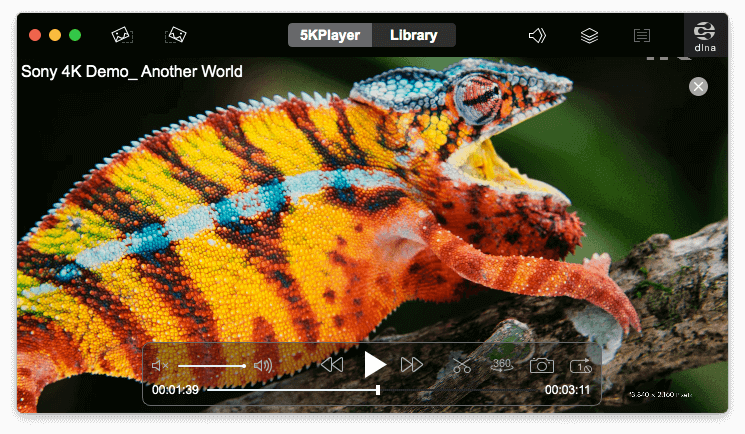
By clicking the scissors icon in the control bar, you can enable the editing feature.
- Rotate: Left Rotate, Right Rotate, Flip Horizontal, Flip Vertical
- Playback Control: Playback Speed and Volume
- Adjust: Saturation, Contrast and Brightness
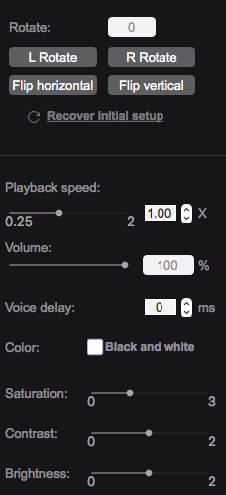
However, 5KPlayer only supports editing MP4/H.264 videos.
On the left panel of the Library window, you can find the Playlists section. There are three default playlists: Movies, Music and AirRecord. The videos you have played will be automatically added to the Movies playlist, and you can remove them by clicking the minus button.
When you select a video in the playlist, a small window will pop up providing you three conversion options.
- MP3: Convert to MP3
- AAC: Convert to AAC
- MP4 (H264): Convert to MP4 (H264)
Play DVDs and stream online radio
Designed to be a versatile media player, 5KPlayer also allows users to play DVD discs and DVD image files. Click DVD in the main screen and you can easily select DVD source and click the Play button.
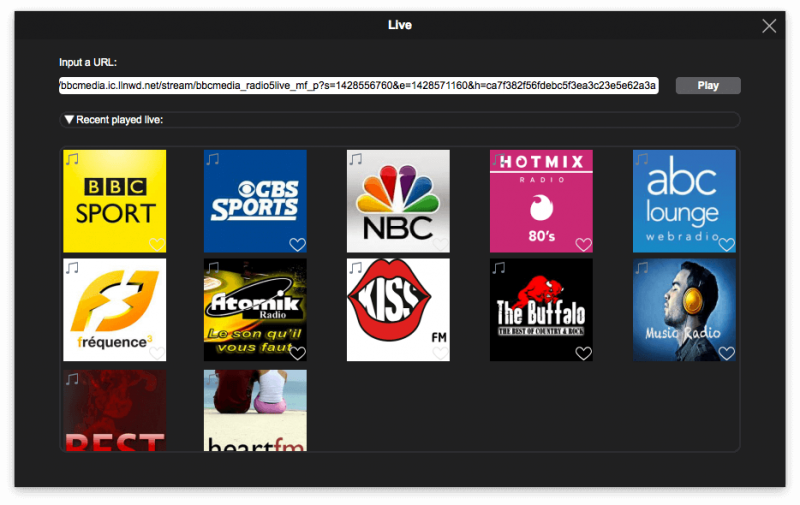
You can start streaming online radio by click the Live button. There are already some radios available such as BBC Sport and CBS Sports. You can add your favorite live stream URLs and click Play. 5KPlayer will automatically add them to the Recent played live list.
Download online videos
5KPlayer is not your average media player. It’s more versatile than you may have expected. It can download online videos and audios with a long list of supported sites.
- YouTube
- Vimeo
- Dailymotion
- LiveLeak
- Metacafe
- CBS
- CNBC
5KPlayer supports almost all video sites and social networking platforms and other popular sites that provide video content. The video download feature is power enough to download 1080P, 2K, 4K and 8K videos. It also supports content like 360° and VR180.
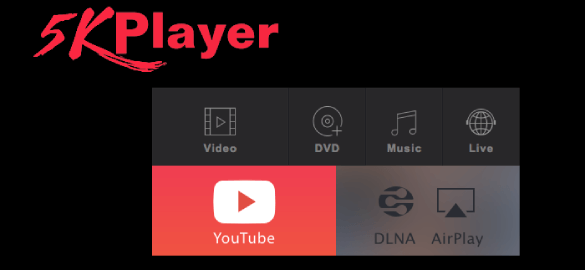
Step 1. Go to the 5KPlayer tab and click YouTube.
Step 2. Copy a video URL from one of the 5KPlayer supported sites, say, YouTube. Click Paste URL & Analyze button, and the app will start analyzing the video URL.
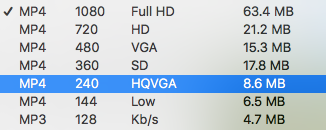
Step 3. Once the video is ready for download, you can click the gear icon to select a desired quality level of the available options. The highest resolution supported is 8K. It can also download YouTube to audio. M4A is the only supported audio format, so you can’t use the app as a YouTube to MP3 converter.
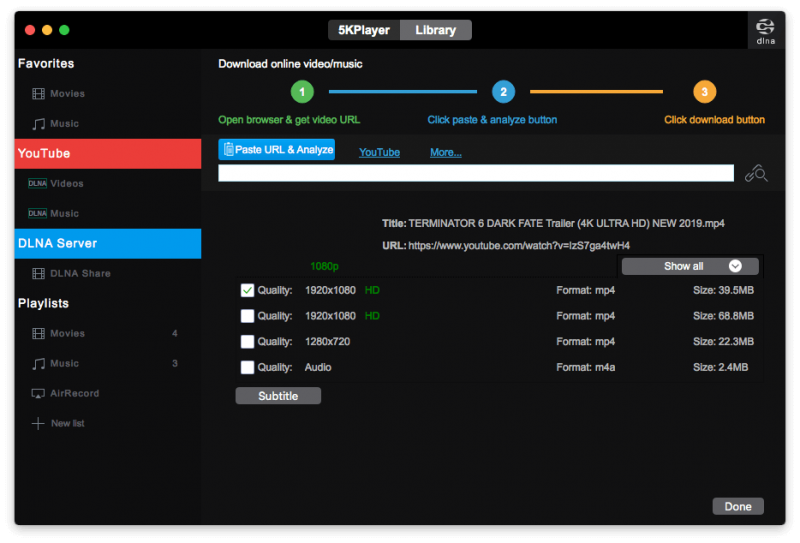
Step 4. Click Download.
AirPlay & DLNA Wireless Stream
5KPlayer supports AirPlay, which allows wireless streaming and screen mirroring and enables people share videos and music from their Apple devices to Apple TV.
With 5KPlayer installed on your Mac or Windows PC, you can easily stream a movie or video to an Apple TV, which works regardless of the Apple TV generation. Open 5KPlayer on your computer. Click AirPlay in the main screen, which will bring you to settings. If you see the “Bonjour service is not installed on this machine” message, you will need to download and install Apple Bonjour first. After setting up, you can enable AirPlay on your Apple TV or iPhone.
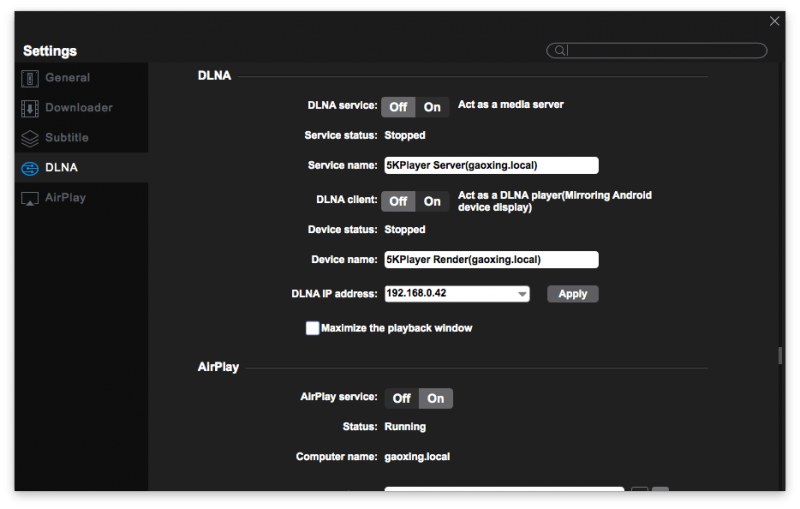
Likewise, the newly added feature DLNA also allows you to stream media files such as videos and music wirelessly from PC or Mac a DLNA compatible device. The renderer enables users to receive and play media beam from supported devices.
#4 Interface and settings
5KPlayer comes with a dark theme. If you are not a find of dark theme, you will have to put up with it because there is no light theme provided. The interface is very intuitive and simple to use, even for new users.
To customize settings, go to Preferences. In addition to general settings, there are also settings and options functions like Downloader, AirPlay and Subtitle. For example, you can select preferred video format and resolution for downloading content from supported sites.
5KPlayer alternatives
Cisdem Video Player
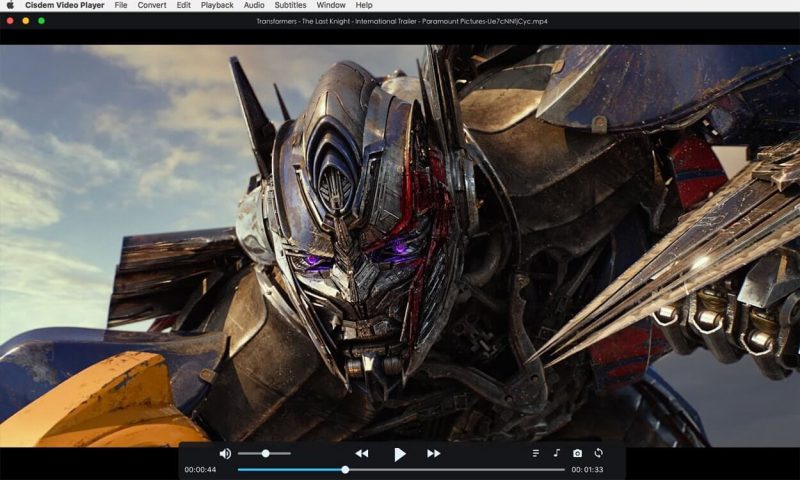
This free alternative of 5KPlayer is macOS-only. It comes with a simple user interface and perfectly supports almost all video and audio formats such as MP4, MKV, AVI, MOV, MP3, OGG and M4A. There is no need for install additional codec packs. When it comes to resolution, it supports playback of SD, HD 1080p, 2K, 4K, 5K and 8K content without lag. You can easily control playback through the control bar or keyboard shortcuts on Mac.
Its video conversion feature is very useful when you need to convert video or audio files for devices. If you have no idea what format a specific device supports, don’t worry. This 5KPlayer alternative lists all the popular models of iPhone, iPad, Android phones and tablets along with their supported formats. This way, you only need to select the destination device instead of figuring out the supported format.
Benefits
- Totally free and safe to use
- Play videos and files with support for more than 50 formats
- Smoothly play SD, 1080P, 4K and 8K content
- Handy control over playback via control bar or keyboard
- Load subtitle files with support for .ass and .srt files
- Convert videos to mobile devices in one click
VLC media player
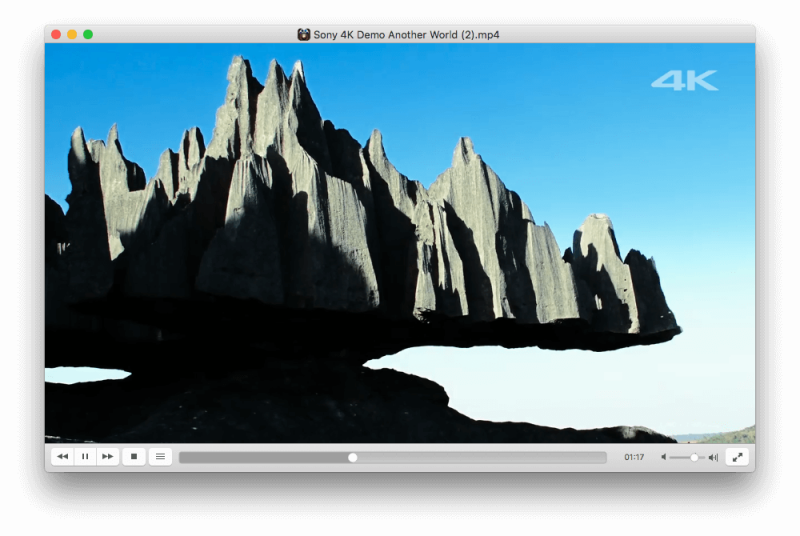
Just like 5KPlayer, VLC media player is also available for both Windows and macOS. In addition, it’s compatible with Linux, iOS, Android, Chrome OS, etc. It supports playing local media files, discs and streams. You can find a long list of preloaded radio streams by going to Internet > Icecast Radio Directory. The control bar only offers very basic functions such as Pause and Forward. For advanced controls over playback, you need to go to Playback in the menu bar.
Benefits
- Free and open source
- Cross-platform and versatile with support for all common media formats
- Can play Ultra 2K videos, 4K videos and higher
- Offer an array of basic and advanced playback controls
- Allow users to change color themes
KMPlayer
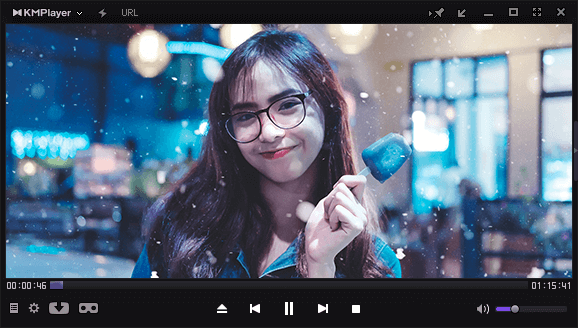
Among other apps like 5KPlayer, KMPlayer is worth mentioning. Note that this freeware app is supported by ads, so be prepared for popups. It can play video/audio/DVD along with support for Shoutcast live stream. The basic and advanced player controls allow users to better control playback and easily enjoy their favorite videos.
Benefits
- Free to use
- Support most video formats and DVD playback
- Easy to use with enough controls and options
- Allow users to add subtitle files
- Offer useful features like Bookmarks
Conclusion
5KPlayer is definitely one of the best media players available for Windows and Mac. In addition to being a decent video and audio player, it can also allow users to download online videos, do basic editing and conversion. What’s more, its support for AirPlay and DLNA makes wireless stream super easy. There are also other apps that like 5KPlayer that can do an equally good or even better job.
Related Post

dupeGuru Review 2020: Is dupeGuru Safe, Free and Alternatives
We often copy and download the same file twice to different locations, or save the same document repeatedly just with [...]
7 Best iTunes Duplicate Removers for Mac and Windows 2020 (Free Included)
Music enthusiasts may store an immense collection of songs in the iTunes music library, but inevitably there will be countless [...]

Freedom App Review 2020: Complete Guides (6 Alternatives)
Apps and websites are too fascinating that make you easy to distract while studying or working. It’s reasonable to expect [...]